


Zebra printers
Zebra QLn320 Health: ZPL guide
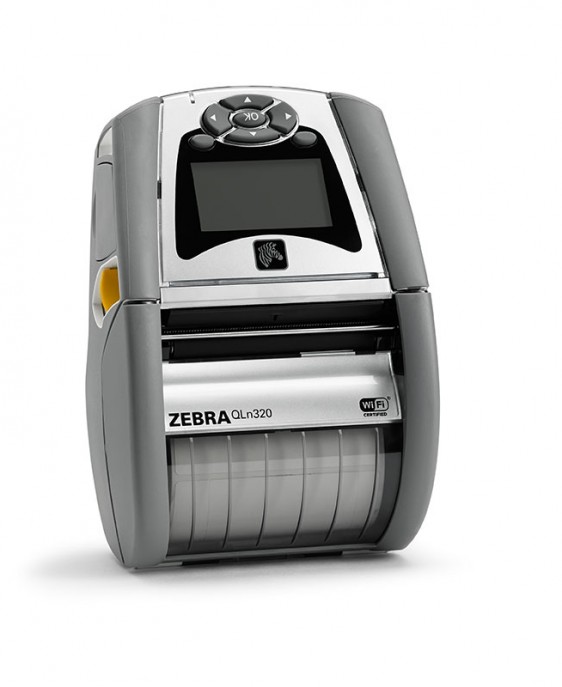
The Zebra QLn320 Health is a mobile printer. Here you will find the key specifications and a ready-to-use ZPL example. Healthcare edition with antimicrobial …
Inquire about this Zebra printer
The Zebra QLn320 Health is a mobile printer. Here you will find the key specifications and a ready-to-use ZPL example. Healthcare edition with antimicrobial housing.
Key specifications
| Model | Zebra QLn320 Health |
|---|---|
| Resolution | 203 DPI |
| Maximum print width | 76.2 mm (3.0") @ 203 DPI |
| Type | Mobile |
| Technology | Direct thermal |
| Print speed | 4 ips / 102 mm/s |
| Firmware / languages | ZPL II; CPCL |
| Connectivity | USB; Bluetooth (Wi-Fi optional) |
Designing labels for the Zebra QLn320 Health
Create your ZPL by adjusting the DPI to the printer and choosing a width within the specified maximum. Preview it in the viewer to avoid clipping or wasted material.
| DPI | Maximum width | ^PW value |
|---|---|---|
| 203 DPI | 76.2 mm | ^PW609 |
^PW sets the printable width in dots. Use the value that matches the actual DPI of your printer.
^XA
^PW609
^LL609
^FO40,40^A0N,38,38^FDZebra QLn320 Health - 203 DPI^FS
^FO40,100^GB529,2,2^FS
^FO40,130^A0N,28,28^FD76.2 mm / 609 dots^FS
^XZ
Official source
Technical data from the Zebra QLn320 Health specification sheet.
Frequently asked questions
Can I preview my ZPL for the Zebra QLn320 Health without printing?
Yes. Paste your code into the ZPL viewer and set the Zebra QLn320 Health's DPI to see the label exactly as printed.